Quick Summary: After researching and testing 20+ AI tools, we narrowed it down to the 10 best AI tools for content creators in 2026. Whether you’re a YouTuber, blogger, Instagram creator, or full-time influencer — this list has exactly what you need. The best all-rounder is ChatGPT, but the right tool depends on your content type and platform.
📋 Table of Contents
- Why Content Creators Need AI Tools in 2026
- The 10 Best AI Tools for Content Creators
- 1. ChatGPT — Best All-Around Writing Assistant
- 2. Claude by Anthropic — Best for Long-Form Content
- 3. Jasper — Best for Scaling Content Fast
- 4. Canva AI (Magic Studio) — Best for Visual Content
- 5. Descript — Best for Video Creators
- 6. Opus Clip — Best for Repurposing Videos
- 7. ElevenLabs — Best AI Voiceover Tool
- 8. Surfer SEO — Best for Bloggers & SEO
- 9. Notion AI — Best for Content Planning
- 10. Copy.ai — Best Free Tool for Short-Form Copy
- Quick Comparison Table
- Best AI Stack By Creator Type
- FAQs
Why Content Creators Need AI Tools in 2026
You’re posting five days a week, brainstorming ideas at midnight, editing videos you shot yourself, writing captions, designing thumbnails, and somehow also trying to grow. Sound familiar?
Here’s the thing — the best AI tools for content creators aren’t just “nice to have” anymore. They’re the difference between burning out at 500 followers and actually scaling your content without losing your mind.
Over 75% of marketers now use AI tools in some form — and that number is even higher among solo creators who have to wear every hat at once. The most commonly used AI tools for creators fall into five categories:
- Writing & copywriting — blog posts, scripts, captions, newsletters
- Video editing & repurposing — turning long videos into short clips
- Visual design — thumbnails, banners, social graphics
- Voiceover & audio — AI-generated narration, podcast production
- Planning & SEO — content calendars, keyword research, optimization
The 10 Best AI Tools for Content Creators in 2026
Here are our top 10 best AI tools for content creators picks, ranked by overall value, ease of use, and real-world usefulness for creators across every platform.
ChatGPT is the most flexible AI writing tool available, and for content creators, it works like a brilliant brainstorming partner. The conversational format is what makes it so easy — even for beginners. You can ask it to “make this funnier” or “shorten this for a tweet” and it just does it. Use it to draft YouTube scripts, generate 20 Instagram caption ideas in two minutes, rewrite sections in a different tone, or summarize research into bullet points you can actually use.
✅ Pros
- Handles almost every content task
- Great free tier to start
- Huge community & tutorials
- Constantly improving
❌ Cons
- Can produce generic output
- Needs good prompting skills
- Usage limits on free plan
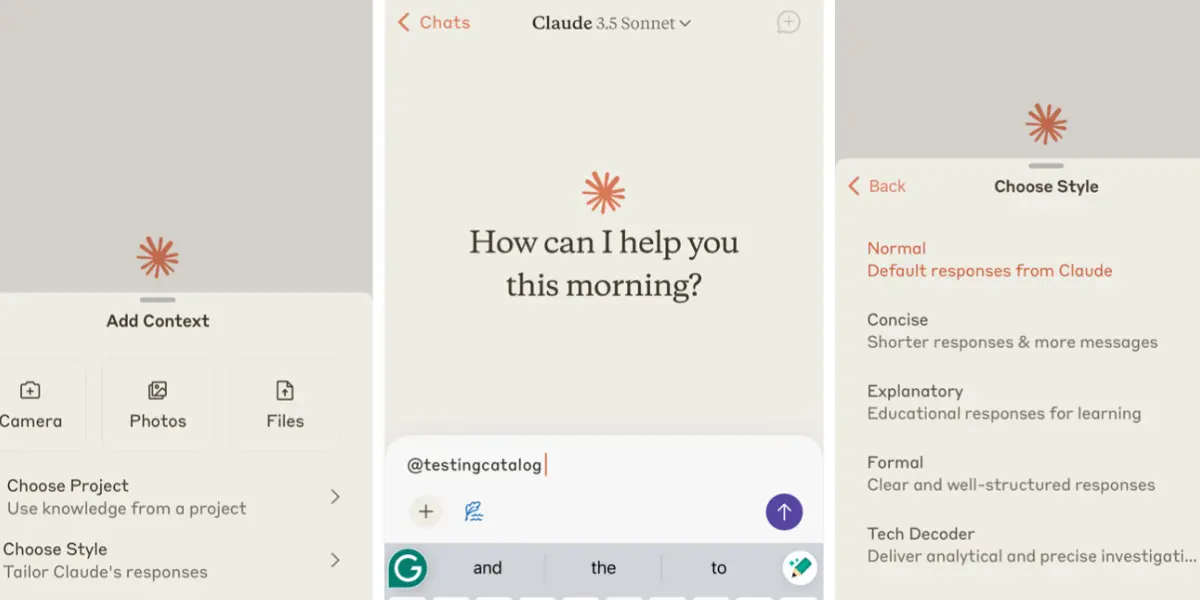
Claude has quietly become one of the top AI tools for content creators who need depth, nuance, and consistency over long documents. Where ChatGPT can sometimes go off-track on longer pieces, Claude holds context exceptionally well. If you’re writing a 3,000-word blog post, a detailed YouTube script, or a brand guide — Claude is your tool. It’s also a smart pick for creators in finance, health, or any niche where accuracy and tone really matter.
✅ Pros
- Superior long-form content quality
- Holds context across long docs
- More nuanced & human-sounding
- Great for brand-safe content
❌ Cons
- Less versatile than ChatGPT
- No image generation
- Free plan has daily limits
Jasper is built specifically for marketing content at scale. It’s not the cheapest option on this list, but if you’re producing high volumes of content across multiple channels, it pays for itself. What sets Jasper apart is its Brand Voice feature — you train it on your existing content and it learns to write in your style. That’s a big deal when you’re producing 30+ pieces of content a month and need them all to sound like you. It also comes with 50+ templates for blogs, captions, emails, and ads.
✅ Pros
- Brand voice consistency
- 50+ content templates
- Great for high-volume work
- Team collaboration features
❌ Cons
- Expensive at $39/month
- Overkill for casual creators
- No free plan
Canva was already the go-to tool for non-designers. Then they added Magic Studio, and it became something else entirely. Magic Design lets you describe your idea and get fully styled templates instantly. Magic Write handles AI-assisted copy inside your designs. Background Remover works on photos in seconds. Text to Image generates custom visuals from a prompt. For content creators, you can go from idea to a polished Instagram graphic or YouTube thumbnail in under five minutes — no design degree needed.
✅ Pros
- Excellent free plan
- No design skills needed
- Huge template library
- All-in-one visual tool
❌ Cons
- AI features limited on free plan
- Not for complex design work
- Can look templated
Descript flips the entire video editing experience on its head — instead of editing a timeline, you edit the transcript. Delete a sentence in the text? That part of the video disappears. It’s as close to editing a Google Doc as video editing gets. Overdub lets you clone your voice and fix mistakes without re-recording. Auto-remove filler words makes those “um”s and “uh”s vanish instantly. For YouTube content creators, you can cut a 30-minute interview down to a tight 10-minute video in the time it used to take just to export.
✅ Pros
- Edit video like a text doc
- Auto-removes filler words
- Voice cloning (Overdub)
- Great for podcasters too
❌ Cons
- Learning curve for new users
- Free plan has watermark
- Not for heavy VFX work
If you’re sitting on a library of long-form content — YouTube videos, webinars, podcast recordings — Opus Clip turns them into short-form clips ready for TikTok, Instagram Reels, and YouTube Shorts. It doesn’t just cut random clips. The AI gives each moment a Virality Score and picks the sections most likely to perform on social. It auto-adds captions, resizes for different formats, and even highlights the speaker. This is one of the best AI tools for influencers who want to squeeze 10 pieces of content out of one video shoot.
✅ Pros
- AI Virality Score feature
- Auto-captions & resize
- 10x content from 1 video
- Works with any long video
❌ Cons
- Limited free clips/month
- Quality varies by video
- Still needs human review
ElevenLabs produces AI voices that genuinely don’t sound like robots — and that’s rarer than you’d think. For creators making tutorials, explainers, or automated content, having a realistic AI voice narrate your videos changes everything. You can create content without ever recording yourself, or use it to produce content in multiple languages simultaneously. It’s one of the best AI tools for YouTube content creators who publish educational or informational content and want to scale production without recording audio every single time.
✅ Pros
- Most realistic AI voices available
- Supports 30+ languages
- Voice cloning feature
- Very affordable paid plans
❌ Cons
- Free credits run out fast
- Voice cloning needs approval
- Not ideal for emotional content
If your content strategy depends on Google traffic, Surfer SEO belongs in your stack. It analyzes the top-ranking pages for any keyword and gives you a real-time Content Score as you write. It tells you which keywords to include, how long your article should be, and how to structure your headings — all based on actual data, not guesswork. In 2026, Surfer has also added AI monitoring for how AI assistants reference your content, which matters as more people search through AI tools rather than traditional Google.
✅ Pros
- Data-driven content scoring
- Dramatically improves rankings
- Integrates with Google Docs
- Keyword clustering tool
❌ Cons
- Expensive for solo creators
- No free plan
- Learning curve exists
Staying organized as a content creator is half the battle. Notion AI helps you think, plan, and organize — all in one place. Use it to build a full content calendar, draft content briefs from a single sentence, summarize your notes or research docs, and generate content ideas sorted by platform and topic. It’s especially great for AI tools for content creators beginners — the learning curve is low, and having all your ideas, drafts, and schedules in one place is genuinely transformative.
✅ Pros
- Knows your project context
- All-in-one creator workspace
- Great for content calendars
- Very beginner-friendly
❌ Cons
- Only useful if you use Notion
- AI less powerful than ChatGPT
- Can get complex to set up
Copy.ai is one of the better free AI tools for content creators who need a lot of short-form content — social captions, email subject lines, ad copy, product descriptions. It has a generous free plan, a clean interface, and pre-built workflows for common creator tasks. It won’t replace a more powerful tool like Jasper for volume work, but it’s a solid starting point. If you’re a content creator beginner and don’t want to spend money right away, Copy.ai is where to start.
✅ Pros
- Best free plan on this list
- Clean, easy interface
- Great for social captions
- Pre-built creator workflows
❌ Cons
- Less powerful than ChatGPT
- Paid plan is expensive
- Not great for long-form
Quick Comparison Table
| Tool | Free Plan | Paid Plan | Best For | Our Rating |
|---|---|---|---|---|
| ChatGPT | ✅ Yes | $20/mo | All creators | ⭐⭐⭐⭐⭐ |
| Claude | ✅ Yes | $20/mo | Long-form writing | ⭐⭐⭐⭐⭐ |
| Jasper | ❌ Trial | $39/mo | Content at scale | ⭐⭐⭐⭐⭐ |
| Canva AI | ✅ Generous | $15/mo | Visuals & thumbnails | ⭐⭐⭐⭐⭐ |
| Descript | ✅ Yes | $24/mo | Video editing | ⭐⭐⭐⭐⭐ |
| Opus Clip | ✅ Limited | $19/mo | Short-form repurposing | ⭐⭐⭐⭐ |
| ElevenLabs | ✅ Credits | From $5/mo | AI voiceover | ⭐⭐⭐⭐ |
| Surfer SEO | ❌ No | $89/mo | SEO blogging | ⭐⭐⭐⭐ |
| Notion AI | ✅ Notion free | +$10/mo | Content planning | ⭐⭐⭐⭐ |
| Copy.ai | ✅ Generous | $49/mo | Beginners & captions | ⭐⭐⭐⭐ |
Best AI Stack By Creator Type
Not every creator needs every tool. Here’s our recommended AI stack based on what you actually make:
📹 YouTuber / Video Creator
- ChatGPT — scripting & ideas
- Descript — editing & production
- Opus Clip — Shorts repurposing
- Canva AI — thumbnails
📸 Instagram / Social Creator
- Canva AI — graphics & Reels covers
- Copy.ai — captions & hashtags
- Opus Clip — Reels from long videos
- Notion AI — content calendar
✍️ Blogger / SEO Writer
- Claude — long-form drafts
- Surfer SEO — keyword optimization
- ChatGPT — outlines & research
- Canva AI — featured images
🎙️ Podcaster / Audio Creator
- Descript — editing & transcripts
- ElevenLabs — AI narration
- Opus Clip — video clips from episodes
- ChatGPT — show notes & outlines
Which AI Tool Is Best for Content Creation?
Honestly? There’s no single winner — it depends on what you create. Use the cheat sheet above to find your best starting point. But if we had to pick one tool every creator should try first: ChatGPT. It’s the most flexible, has a solid free tier, and works across every content type.
Are AI Tools Worth It for Creators?
Short answer: yes. But with one important caveat. AI tools are worth it when you use them to amplify your creativity — not replace it. The creators seeing real results are the ones who still bring their own voice, perspective, and ideas. They use AI to execute faster, not to think less.
Here’s where AI genuinely saves time for creators:
- Writing first drafts (the blank-page problem disappears)
- Repurposing one piece of content into five
- Designing visuals without hiring a designer
- Editing video without learning professional software
- Planning content calendars weeks in advance
Can AI Help Content Creators Grow Faster?
Yes — and here’s the mechanism behind it. Growth on any platform comes down to consistency plus quality plus volume. AI lets you post more consistently (creating each piece takes less time), maintain quality (AI handles repetitive parts so you can focus on what matters), and test more ideas (instead of one video, you produce three variations and see what resonates).
How Do Creators Use AI for Content?
The best AI-assisted content workflow looks like this:
- Ideation — Use ChatGPT or Claude to generate content ideas based on your niche and recent trends
- Scripting — Draft your script, caption, or blog outline with AI, then rewrite it in your voice
- Visual creation — Use Canva AI to build thumbnails, banners, or social graphics
- Production — Record (or use ElevenLabs for voiceover), edit with Descript
- Repurposing — Run longer videos through Opus Clip to create 5–10 short-form clips
- Scheduling — Use Notion AI to plan when and where each piece goes out
Frequently Asked Questions
🏆 Final Verdict
The best AI tools for content creators in 2026 aren’t the most expensive or the most hyped. They’re the ones that fit your specific workflow and actually save you time on the tasks that eat your week.
If we had to pick just three for every creator to start with today: ChatGPT for writing and scripting, Canva AI for visuals, and Descript or Opus Clip for video. That stack costs under $50/month and will easily save you 10+ hours every week.
Start small. Pick the one tool that solves your biggest pain point right now. Get comfortable with it. Then add another. That’s how creators go from overwhelmed to unstoppable.
Found this helpful? Share it! 🙌