After testing 20+ tools, we narrowed it down to the 10 best AI tools for YouTubers in 2026. Whether you make tutorials, vlogs, faceless videos, or shorts — this list covers every part of your workflow. The best all-rounder for ai tools for youtube creators is ChatGPT, but the right stack depends on where your biggest bottleneck is. Read on to find yours.
📋 Table of Contents
- Why YouTubers Need AI Tools in 2026
- The 10 Best AI Tools for YouTubers
- 1. ChatGPT — Best for Scripting & Ideas
- 2. Descript — Best for Video Editing
- 3. Opus Clip — Best for Shorts & Repurposing
- 4. Canva AI — Best for Thumbnails
- 5. TubeBuddy — Best for YouTube SEO
- 6. ElevenLabs — Best for AI Voiceover
- 7. VidIQ — Best for Channel Growth
- 8. Pictory — Best for Faceless YouTube
- 9. Claude — Best for Long-Form Scripts
- 10. Notion AI — Best for Content Planning
- Quick Comparison Table
- Best AI Stack by YouTube Niche
- FAQs
Why YouTubers Need AI Tools in 2026
Running a YouTube channel solo is basically running a small media company — by yourself. You’re writing scripts, filming, editing, designing thumbnails, doing SEO, engaging comments, and planning next week’s content — all at once. Sound exhausting? It is.
That’s exactly why ai tools for youtubers have gone from “nice to try” to “can’t live without” in the last two years. The numbers back it up: channels using AI tools in their workflow consistently publish 2–3x more content than those who don’t — without working more hours.
The best ai tools for youtube videos now cover every part of the creator workflow:
- Scripting & ideas — brainstorming topics, writing outlines, full scripts
- Video editing — transcript-based editing, auto-captions, filler word removal
- Thumbnails & graphics — AI-generated visuals and templates
- YouTube SEO — titles, tags, descriptions, keyword research
- Voiceover & narration — realistic AI voices for faceless channels
- Repurposing — turning long videos into Shorts automatically
The 10 Best AI Tools for YouTubers in 2026
Here are our top picks for ai tools for youtube content creation — tested, ranked, and chosen for real-world usefulness across every type of YouTube channel.
ChatGPT is the most versatile of all ai tools for youtube creators — and most YouTubers who use AI start here. Use it to brainstorm 20 video ideas in two minutes, write a full script from a single bullet point, draft click-worthy titles, or generate your entire video description with SEO keywords baked in. The blank page problem? It disappears completely. The Plus plan unlocks GPT-4o which is noticeably better at writing engaging, punchy scripts that actually sound like a real person talking.
✅ Pros
- Handles scripts, titles & descriptions
- Great free tier to start
- Works for any YouTube niche
- Fastest idea generation tool
❌ Cons
- Needs good prompting skills
- Can sound generic without editing
- Usage limits on free plan
Descript is the single best ai tool for video editing youtube creators use today. Instead of scrubbing through a timeline, you edit your video by editing the transcript — delete a sentence in the text, and that clip disappears from the video. It also auto-removes filler words (every “um”, “uh”, and long pause) with a single click, clones your voice with Overdub for quick fixes, and lets you record screen content with AI-powered cleanup. For ai tools for video creators doing talking-head content, this is the tool that saves the most time.
✅ Pros
- Edit video like a text document
- Auto-removes filler words
- Voice cloning (Overdub)
- Transcripts & auto-captions
❌ Cons
- Free plan adds watermark
- Not ideal for heavy VFX work
- Learning curve for new users
Opus Clip is one of the smartest ai tools for youtube automation available right now. You upload a long video, and it uses AI to find the moments most likely to go viral — assigning each clip a Virality Score. It then auto-resizes for Shorts, adds animated captions, and highlights the speaker. One 30-minute video becomes 8–12 ready-to-post Shorts in under 10 minutes. If you’re not repurposing your long-form content into Shorts, you’re leaving serious growth on the table — Opus Clip makes it effortless.
✅ Pros
- AI Virality Score per clip
- Auto-captions & speaker highlight
- Resizes for Shorts automatically
- 10x content from 1 video
❌ Cons
- Limited clips on free plan
- Quality varies by video type
- Still needs human review
Your thumbnail is the first thing viewers see — and a bad one kills your click-through rate no matter how good the video is. Canva’s AI tools for youtube thumbnails make it genuinely easy to create scroll-stopping designs even if you’ve never used Photoshop in your life. Magic Design generates fully styled thumbnail templates from a description. Background Remover isolates your face in seconds. Text to Image creates custom AI visuals. You can go from blank canvas to polished thumbnail in five minutes flat.
✅ Pros
- Excellent free plan
- No design skills needed
- Huge YouTube thumbnail templates
- One-click background removal
❌ Cons
- AI features limited on free plan
- Can look templated without tweaking
- Not for complex illustrations
TubeBuddy is the go-to ai tool for youtube seo — and it works directly inside YouTube as a browser extension. It shows you keyword search volume, competition scores, and SEO rankings right on the upload page as you’re publishing. Its AI Title Generator suggests click-worthy, keyword-optimised titles. Tag Explorer finds the best tags for any video. A/B Test lets you test two thumbnails to see which one gets more clicks. If ai tools for youtube growth had a backbone, TubeBuddy would be it.
✅ Pros
- Works directly inside YouTube
- Keyword & tag research built-in
- A/B thumbnail testing
- Very affordable paid plan
❌ Cons
- Free plan heavily limited
- Data can lag for new channels
- Interface feels dated
ElevenLabs produces the most realistic AI voices available — and that matters enormously for faceless YouTube channels. If you run a finance channel, a history channel, a facts channel, or any niche where you don’t want to appear on camera, ElevenLabs lets you produce professional-quality narration without recording yourself. It supports 30+ languages, which means you can repurpose your content for international audiences with a single click. It’s hands-down one of the best ai tools for faceless youtube channels in 2026.
✅ Pros
- Most realistic AI voices available
- Supports 30+ languages
- Clone your own voice
- Very affordable paid plans
❌ Cons
- Free credits run out fast
- Voice cloning needs approval
- Emotional delivery still limited
VidIQ is one of the best ai tools for growing youtube channel with real analytics intelligence. It shows you exactly what’s working on your channel and your competitors’ channels — views per hour, engagement rates, keyword scores, and trending topics in your niche. Its AI Daily Ideas feature suggests personalised video topics every single day based on what’s trending and what your audience is searching for. Think of it as a data analyst and content strategist rolled into one tool sitting next to your YouTube dashboard.
✅ Pros
- Daily AI video ideas
- Competitor channel analysis
- Keyword & trend tracking
- Useful free plan
❌ Cons
- Best features behind paywall
- Overlaps with TubeBuddy
- Data accuracy varies by niche
Pictory is the tool that makes fully automated, faceless YouTube videos possible. Paste in a script or an article URL, and Pictory turns it into a complete video — finding relevant stock footage, adding AI voiceover, syncing captions, and producing an export-ready file. It’s one of the core ai tools for youtube automation workflows where the goal is to produce high volumes of content with minimal manual work. For channels in niches like news, finance, facts, or history, it’s a genuine game-changer.
✅ Pros
- Script-to-video in minutes
- Built-in stock footage library
- AI voiceover included
- Auto captions & branding
❌ Cons
- Stock footage can feel generic
- Limited creative control
- No free plan (trial only)
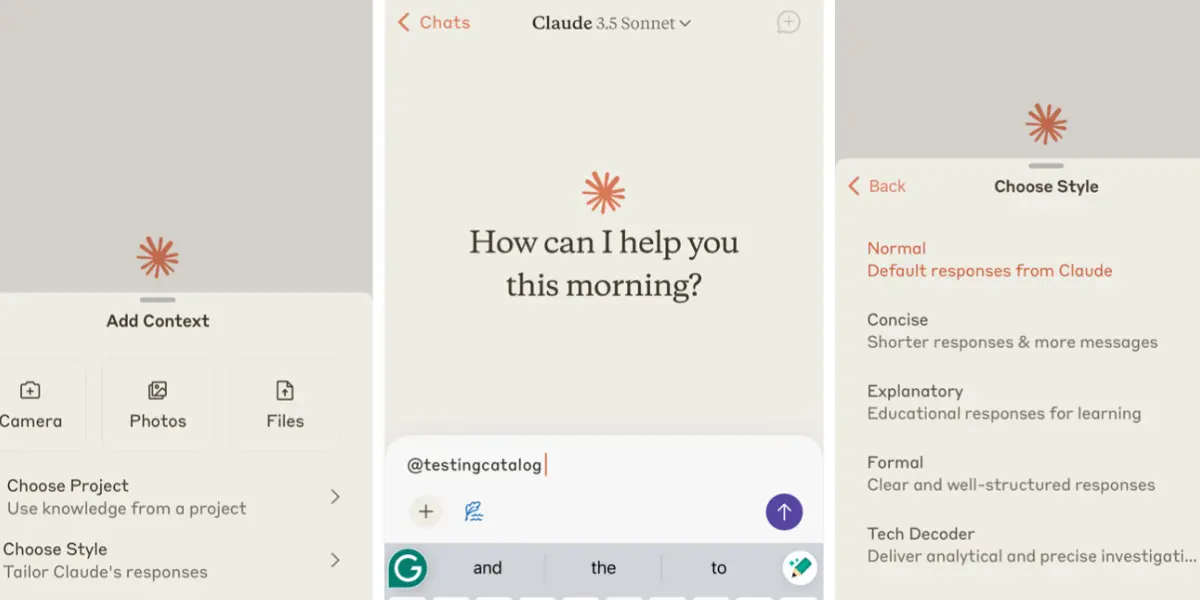
For ai tools for youtube script writing, Claude is the best option when depth and quality matter more than speed. While ChatGPT is great for quick brainstorms and short scripts, Claude shines on longer, more nuanced content — 10-minute explainers, documentary-style narrations, or educational deep-dives where accuracy and tone consistency are critical. It holds context across very long documents, which means it can write a 3,000-word video script without losing the thread halfway through. If your channel is built on substance, Claude belongs in your workflow.
✅ Pros
- Best for long, nuanced scripts
- Holds context across long docs
- More human-sounding output
- Great for research-heavy topics
❌ Cons
- Less versatile than ChatGPT
- No image generation
- Free plan has daily limits
The most underrated part of growing a YouTube channel is staying organised enough to publish consistently. Notion AI turns your content planning from chaos into a system. Map out your entire content calendar, generate video briefs from a single sentence, batch-plan 4 weeks of content in one session, and keep all your research, scripts, and ideas in one searchable workspace. Consistent uploading is one of the biggest drivers of youtube ai tools for growth — and Notion makes consistency actually achievable.
✅ Pros
- All-in-one content workspace
- Knows your channel context
- Great for batch planning
- Very beginner-friendly
❌ Cons
- Only useful if you use Notion
- AI less powerful than ChatGPT
- Can be complex to set up
Quick Comparison Table
| Tool | Free Plan | Paid Plan | Best For | Our Rating |
|---|---|---|---|---|
| ChatGPT | ✅ Yes | $20/mo | Scripts & ideas | ⭐⭐⭐⭐⭐ |
| Descript | ✅ Yes | $24/mo | Video editing | ⭐⭐⭐⭐⭐ |
| Opus Clip | ✅ Limited | $19/mo | Shorts repurposing | ⭐⭐⭐⭐⭐ |
| Canva AI | ✅ Generous | $15/mo | Thumbnails & graphics | ⭐⭐⭐⭐⭐ |
| TubeBuddy | ✅ Basic | $9/mo | YouTube SEO | ⭐⭐⭐⭐⭐ |
| ElevenLabs | ✅ Credits | From $5/mo | AI voiceover | ⭐⭐⭐⭐ |
| VidIQ | ✅ Yes | $16.58/mo | Channel growth | ⭐⭐⭐⭐ |
| Pictory | ✅ Trial | $25/mo | Faceless YouTube | ⭐⭐⭐⭐ |
| Claude | ✅ Yes | $20/mo | Long-form scripts | ⭐⭐⭐⭐ |
| Notion AI | ✅ Notion free | +$10/mo | Content planning | ⭐⭐⭐⭐ |
Best AI Stack by YouTube Niche
Not every YouTuber needs every tool. Here’s the best AI stack for your specific channel type — pick what fits your workflow and ignore the rest.
🎤 Talking-Head / Vlog Channel
- ChatGPT — scripting & titles
- Descript — editing & filler removal
- Canva AI — thumbnails
- TubeBuddy — SEO & tags
🤖 Faceless / Automated Channel
- ChatGPT — script writing
- Pictory — script-to-video
- ElevenLabs — AI voiceover
- VidIQ — niche & keyword research
📚 Educational / Tutorial Channel
- Claude — deep, accurate scripts
- Descript — editing & captions
- Opus Clip — repurpose to Shorts
- TubeBuddy — keyword optimisation
📱 Short-Form / Shorts Channel
- Opus Clip — auto-clip from long videos
- Canva AI — Shorts covers & graphics
- ChatGPT — hook writing & captions
- VidIQ — trending topic research
What AI Tools Do YouTubers Use?
The most widely used youtube ai tools in 2026 are ChatGPT for scripting and ideas, Descript for video editing, Canva AI for thumbnails, TubeBuddy for SEO, and Opus Clip for creating Shorts from long videos. Most successful creators use a stack of 3–5 tools rather than relying on just one.
The specific tools depend entirely on your channel type. A faceless automation channel leans heavily on Pictory and ElevenLabs. A talking-head channel needs Descript more than anything. An educational channel benefits most from Claude for script depth and TubeBuddy for keyword strategy.
Which AI Tool Is Best for YouTube Videos?
If we’re talking pure impact on your videos — Descript. Nothing saves more time on the actual production process than being able to edit your video by editing text. Filler word removal alone can cut an hour of editing down to 10 minutes.
For the overall channel — ChatGPT. It touches every part of the YouTube workflow: idea generation, scripting, titles, descriptions, community posts, even responding to comments in your tone. It’s the tool that works in every phase, not just one.
Can AI Help Grow a YouTube Channel?
Yes — significantly. Here’s exactly how. AI tools let you publish more consistently (the #1 growth factor on YouTube), optimise every video for search (TubeBuddy and VidIQ), and repurpose each long video into Shorts that drive additional subscribers. More content, better SEO, more discovery points — that’s the AI growth loop.
Say you’re posting once a week without AI. With a solid AI workflow, you could realistically post twice a week and produce 8–10 Shorts per month from that same content. That’s 3–4x more upload frequency with the same recording time. YouTube’s algorithm rewards exactly that.
Are AI Tools Worth It for YouTubers?
Absolutely — but the ROI depends on how you use them. The YouTubers getting the most value from AI are treating it as a production assistant, not a replacement for their creativity. The hook, the personality, the storytelling — that’s still you. AI handles the scripting framework, the editing grunt work, the SEO optimisation, and the thumbnail design.
Think about it this way: if AI saves you 5 hours of editing and 2 hours of script writing every week, that’s 7 hours you can put back into filming better content, engaging with your audience, or just not burning out. That’s what makes AI tools worth it for YouTubers — not just speed, but sustainability.
How Do YouTubers Use AI?
The best AI-assisted YouTube workflow looks like this:
- Idea research — Use VidIQ or TubeBuddy to find trending topics and keyword gaps in your niche
- Script writing — Draft the full script in ChatGPT or Claude, then rewrite it in your voice
- Thumbnail design — Build the thumbnail in Canva AI before you even start filming
- Recording — Film with your script in hand (or use ElevenLabs for faceless narration)
- Editing — Edit via transcript in Descript, remove filler words, export
- Publishing — Use TubeBuddy to optimise title, tags, and description for SEO
- Repurposing — Run the finished video through Opus Clip for 8–10 Shorts
Frequently Asked Questions
🏆 Final Verdict
The best AI tools for YouTubers in 2026 aren’t about replacing your creativity — they’re about removing the production bottlenecks that slow you down and drain your energy.
If we had to pick just three for every YouTuber to start with today: ChatGPT for scripting, Descript for editing, and Canva AI for thumbnails. That stack costs under $45/month combined and will save you 8–12 hours per video — easily.
Start with one. Build the habit. Then layer in TubeBuddy for SEO and Opus Clip for Shorts when you’re ready. That’s how solo YouTubers go from grinding to actually growing.
Found this helpful? Share it! 🙌