The best ai tools to save time for freelancers in 2026 aren’t just productivity hacks — they’re the difference between scrambling and scaling. After testing dozens of tools, we’ve picked the 10 best ai productivity tools for freelancers that actually cut hours from your week across writing, client admin, research, design, and scheduling. Most have solid free plans. All of them are worth trying.
📋 Table of Contents
- Where Freelancers Waste the Most Time
- AI Tools to Save Time for Freelancers
- 1. ChatGPT — Save Time on Writing & Communication
- 2. Claude — Save Time on Long-Form Content
- 3. Grammarly — Save Time on Editing & Proofreading
- 4. Notion AI — Save Time on Planning & Organisation
- 5. Otter.ai — Save Time on Client Meeting Notes
- 6. Canva AI — Save Time on Design & Visuals
- 7. HoneyBook AI — Save Time on Client Admin
- 8. Perplexity AI — Save Time on Research
- 9. Zapier AI — Save Time by Automating Repetitive Tasks
- 10. Surfer SEO — Save Time on SEO Content Writing
- Best AI Productivity Stack by Freelance Niche
- AI Tools to Automate Freelance Tasks
- Quick Time-Savings Overview
- FAQs
Where Freelancers Waste the Most Time
Ask most freelancers where their day goes and they’ll say something like: “I don’t even know.” The work is getting done — but the hours are disappearing on tasks that aren’t billable, not strategic, and frankly not the reason they went freelance in the first place.
Here’s what the research consistently shows about time drains for independent workers. The biggest culprits aren’t the obvious ones:
- Writing first drafts — emails, proposals, reports, content — eats 2–3 hours per day for most freelancers
- Client communication & meeting notes — following up, summarising, documenting — another hour gone
- Admin tasks — invoices, contracts, onboarding documents — repetitive and completely automatable
- Research — fact-checking, sourcing data, finding references — slow without the right tools
- Design — creating graphics, social images, presentation decks — takes hours without AI
Add it up and you’re looking at 4–6 hours per day on tasks where AI tools can replace, reduce, or dramatically speed up your effort. That’s not a small number. For a freelancer billing at any meaningful rate, that’s a lot of recoverable time — and income.
AI Tools to Save Time for Freelancers
These 10 tools are chosen specifically for the time they save — not just the features they offer. Each one comes with a real-world estimate of how many hours it can return to your week.
ChatGPT is the single most time-saving ai tool for freelancers available today — because it covers the biggest time sink: writing. First drafts, client emails, project proposals, onboarding documents, content outlines, meeting agendas — all of it gets done in minutes instead of hours. The trick is using it as a starting point, not a finished product. Give it context, get a solid draft, then spend 10 minutes editing rather than 90 minutes writing from scratch. For ai tools for freelancers working from home who handle their own communication and content, this is the one tool that touches the most hours in a day.
✅ Pros
- Handles any writing task in minutes
- Great free tier to start
- Works for every freelance niche
- Fastest idea-to-draft tool available
❌ Cons
- Needs good prompting to get best output
- Free plan has usage limits
- Always requires human editing
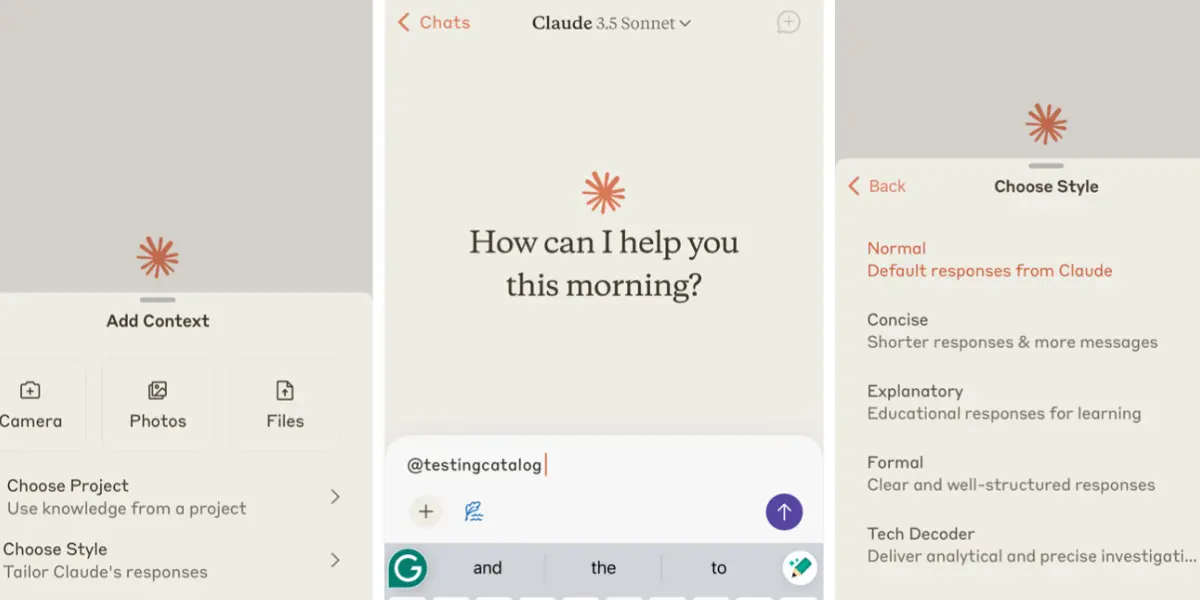
Where ChatGPT is the best time saver for short-to-medium writing tasks, Claude is the go-to for anything longer and more complex. It holds context remarkably well across 3,000+ word documents without losing the thread — which means it can help you draft a full project report, a long client proposal, or a detailed article without the quality deteriorating halfway through. For freelancers writing in technical, legal, healthcare, or finance niches where depth and accuracy matter, Claude saves the most time precisely where the work is hardest. It’s one of the best ai productivity tools for freelancers who depend on written deliverables.
✅ Pros
- Best for long, complex documents
- Holds context across full drafts
- More human-sounding output
- Great for technical writing
❌ Cons
- Free plan has daily message limits
- Less versatile than ChatGPT for some tasks
- No image generation
Grammarly works silently in the background — in your browser, in Google Docs, in your email client — and catches errors before they leave your screen. For freelancers who send dozens of professional communications per week, having every email, proposal, and deliverable auto-checked for grammar, clarity, and tone is a genuine time saver. The free version handles grammar and spelling perfectly. The Pro version adds tone suggestions and full-document rewrites, which is useful before submitting client work. As a standalone time-saving ai tool for freelancers, it earns its keep by eliminating the manual re-reading step from every piece of writing you send.
✅ Pros
- Works everywhere automatically
- Excellent free tier
- Catches errors AI tools miss
- Tone & clarity suggestions
❌ Cons
- Can over-edit personal voice
- Not a full writing tool
- Pro plan adds cost over time
The most underrated time drain in freelancing isn’t the work itself — it’s the mental overhead of keeping track of everything. Notion AI brings your entire freelance operation into one place: client projects, deadlines, content calendars, invoices, notes, and ideas. The AI add-on lets you generate project briefs, draft meeting agendas, summarise long notes, and plan your week from a single prompt. For ai tools for managing freelance clients across multiple projects simultaneously, this is the tool that makes staying organised actually achievable. It’s especially valuable for ai tools for freelancers daily workflow — once your system is set up, it runs almost on autopilot.
✅ Pros
- All-in-one freelance workspace
- AI knows your project context
- Great for batch planning
- Reduces mental overhead significantly
❌ Cons
- Only useful if you adopt Notion
- Initial setup takes some time
- AI less powerful than ChatGPT
If you have client calls, Otter.ai is one of the fastest wins available. It automatically transcribes every meeting in real time, pulls out key action items, and generates a summary you can share with clients immediately after the call — no manual note-taking, no trying to remember what was agreed, no writing up notes at the end of the day. It works with Zoom, Google Meet, and Microsoft Teams. The free plan gives you 300 minutes of transcription per month, which covers most freelancers. For ai tools for remote freelancers who run all client communication over video calls, this is a genuine hour-per-week reclaimed every single week.
✅ Pros
- Auto-transcribes Zoom & Meet calls
- Pulls out action items automatically
- Shareable summaries post-call
- Generous free plan
❌ Cons
- Accuracy drops with heavy accents
- Free plan limited to 300 min/month
- Struggles with noisy environments
Design tasks are a hidden time sink for non-designer freelancers — creating a presentation deck, building a proposal template, resizing graphics for different platforms, or making a basic social image for a client’s campaign. Canva AI’s Magic Studio eliminates most of that friction. Magic Design generates fully styled templates from a text description. One-click resize adapts any design to every platform format. Background Remover works in seconds. For ai tools for faster content creation freelancers who aren’t designers but still need to produce visual deliverables, Canva saves hours every week and makes the output look far more professional than most freelancers could produce manually.
✅ Pros
- No design skills required
- One-click resize for all platforms
- Excellent free plan
- AI generates templates from descriptions
❌ Cons
- AI features limited on free plan
- Not for complex brand design work
- Can look templated without tweaking
Admin is the silent productivity killer for service-based freelancers. Writing proposals, creating contracts, sending invoices, following up on late payments, onboarding new clients — it all adds up to hours every week that aren’t billable and aren’t strategic. HoneyBook AI automates the entire client lifecycle: it drafts proposals from a brief, generates contracts, sends invoices on schedule, and follows up automatically when payments are overdue. The AI assistant helps you respond to enquiries faster and move clients through your pipeline without you manually managing every step. As an ai tool to automate freelance work, it returns more billable time than almost anything else on this list.
✅ Pros
- Automates proposals, contracts & invoices
- Automated follow-up sequences
- Full client pipeline management
- Saves the most non-billable time
❌ Cons
- Not free — $19/month
- US-focused feature set
- Overkill for very light workloads
Research is a slow process without the right tools. Opening 12 browser tabs, reading through articles to find the one stat you need, verifying information across sources — it eats time. Perplexity AI collapses that entire process into one step: ask a question, get a cited, synthesised answer pulled from real web sources in real time. Everything it tells you comes with a source you can click and verify. For freelancers who bill for writing, consulting, or content work, cutting research time from 45 minutes to 10 minutes per topic is a meaningful productivity gain. One of the most genuinely underrated time-saving ai tools for freelancers available today.
✅ Pros
- Every answer cited with real sources
- Real-time web search
- Cuts research time dramatically
- Great free tier
❌ Cons
- Not for creative content generation
- Pro searches limited on free plan
- Less conversational than ChatGPT
Zapier connects your apps and automates the repetitive workflows that consume more time than most freelancers realise. New client fills in your contact form? Zapier automatically creates a project in Notion, sends them a welcome email, and adds them to your CRM — without you touching anything. Invoice paid? Zapier logs it in your spreadsheet and sends a thank-you message. With AI-powered Zaps, you can now describe a workflow in plain English and Zapier builds the automation for you — no technical knowledge needed. For ai tools to automate freelance tasks across multiple platforms, nothing else offers this level of cross-app automation with as low a barrier to entry.
✅ Pros
- Automates cross-app workflows
- AI builds automations from plain English
- Connects 6,000+ apps
- Saves time on the most repetitive tasks
❌ Cons
- Free plan limited to 100 tasks/month
- Setup requires some initial time investment
- More complex automations need learning
For freelance SEO writers, the most time-consuming part of any article isn’t the writing — it’s the research: figuring out what keywords to include, what competitors are covering, how long the article should be, and how to structure the headings. Surfer SEO automates all of that. It analyses the top-ranking pages for your keyword in real time and gives you a live Content Score as you write — with specific suggestions on terms, headings, and word count. The time savings per article are significant: what used to take manual SERP research and competitor analysis for 2 hours becomes a data-driven brief you can execute in under 20 minutes.
✅ Pros
- Eliminates manual SERP research
- Real-time content scoring while writing
- Data-driven heading & keyword suggestions
- Integrates with Google Docs
❌ Cons
- Expensive — $89/month
- No free plan
- Only useful for SEO content writers
Best AI Productivity Tools for Freelancers by Niche
Not every freelancer needs every tool. Here’s the best time-saving AI stack for your specific niche — pick what fits your biggest bottlenecks.
✍️ Freelance Writer / Blogger
- ChatGPT — drafts, outlines & emails
- Claude — long-form article quality
- Perplexity — fast research with citations
- Grammarly — editing & final polish
🎨 Freelance Designer / Marketer
- Canva AI — visuals & presentations
- ChatGPT — briefs, copy & emails
- HoneyBook AI — proposals & invoicing
- Notion AI — project management
💻 Freelance Developer / Consultant
- Claude — documentation & reports
- Otter.ai — client call transcripts
- Zapier AI — workflow automation
- Notion AI — project & client tracking
📣 Freelance SEO / Content Marketer
- Surfer SEO — content optimisation
- Perplexity — research & sourcing
- ChatGPT — first drafts & outlines
- HoneyBook AI — client admin
AI Tools to Automate Freelance Tasks
There’s a difference between tools that help you work faster and tools that remove work entirely. These are the tasks where AI automation makes the biggest dent for freelancers:
- Meeting notes & summaries → Otter.ai handles this end-to-end without you touching a keyboard
- Invoice creation & follow-up → HoneyBook generates and sends automatically on schedule
- Cross-app data entry → Zapier connects your tools so information flows automatically
- First drafts of repetitive documents → ChatGPT generates proposals, onboarding emails, and status updates from a template prompt
- SEO research for articles → Surfer replaces manual competitor analysis with a live dashboard
The goal isn’t to automate everything — it’s to identify the 3–4 tasks in your week that are repetitive, time-consuming, and don’t require your expertise. Those are the ones to automate first. Everything else, you speed up with AI assistance but still own yourself.
Quick Time-Savings Overview
| Tool | Free Plan | Paid Plan | Time Saved/Week | Best For |
|---|---|---|---|---|
| ChatGPT | ✅ Yes | $20/mo | 3–5 hrs | Writing & communication |
| Claude | ✅ Yes | $20/mo | 2–4 hrs | Long-form content |
| Grammarly | ✅ Great | $12/mo | 1–2 hrs | Editing & polish |
| Notion AI | ✅ Free | +$10/mo | 2–3 hrs | Planning & organisation |
| Otter.ai | ✅ 300 min | $10/mo | 1–3 hrs | Meeting transcription |
| Canva AI | ✅ Generous | $15/mo | 2–4 hrs | Design & visuals |
| HoneyBook AI | ✅ Trial | $19/mo | 3–5 hrs | Client admin & invoicing |
| Perplexity AI | ✅ Yes | $20/mo | 2–4 hrs | Research & fact-checking |
| Zapier AI | ✅ 100 tasks | $29.99/mo | 2–5 hrs | Cross-app automation |
| Surfer SEO | ❌ No | $89/mo | 2–4 hrs/article | SEO content writing |
How Can Freelancers Save Time Using AI?
The most impactful way to save time as a freelancer is to identify where your hours actually go — not where you think they go. Track your time for one week and you’ll almost always find 3–5 hours disappearing into writing first drafts, taking meeting notes, doing research, and managing client admin. Those are the tasks where AI tools for freelancers to increase productivity deliver the clearest, most immediate ROI.
Start with one tool that addresses your biggest bottleneck. For most freelancers that’s ChatGPT for writing. For service-based freelancers it’s HoneyBook for admin. For anyone on regular client calls it’s Otter.ai. Once you’ve reclaimed time from one area, pick the next biggest drain and address that too.
What AI Tools Help Freelancers Work Faster?
The tools that actually move the needle are the ones that touch your most time-consuming tasks — ChatGPT and Claude for writing, Otter.ai for meeting notes, HoneyBook for admin and invoicing, Perplexity for research, Canva AI for design, and Zapier for automating the connective tissue between your apps. Each one addresses a different category of wasted time. The right combination depends on your niche and where your hours disappear each week.
Are AI Tools Worth It for Freelancers?
Yes — especially for freelancers who want to increase output without increasing hours. At $20–40/month for a basic AI stack, the cost is justified if it saves you even two billable hours per week at any meaningful rate. Most freelancers with a well-chosen set of tools save significantly more than that. The ROI is clearest on admin tools like HoneyBook (which pays for itself by eliminating non-billable admin time) and writing tools like ChatGPT (which cuts first-draft time by 60–70%).
Can AI Automate Freelance Work?
Partly — and knowing what to automate vs what to keep human-controlled is the key. AI can fully automate meeting transcription, invoice follow-ups, cross-app data entry, and repetitive document creation. It can significantly speed up research, first-draft writing, editing, and design. It can’t replace your judgment, your client relationships, or your expertise. The freelancers getting the most from AI automation are the ones who’ve identified their repetitive admin tasks and fully delegated those — while staying deeply involved in the strategic and creative work that clients actually pay for.
Frequently Asked Questions
🏆 Final Verdict
The best AI tools to save time for freelancers in 2026 aren’t about working less — they’re about working on what actually matters, and letting AI handle the rest.
If we had to pick just three to start with today: ChatGPT for writing and communication (saves 3–5 hours/week), Otter.ai for client calls (saves 1–3 hours/week), and HoneyBook AI for admin and invoicing (saves 3–5 hours/week). That trio alone could return 7–13 hours to your week — every single week.
Start with ChatGPT’s free plan. Use it every day for two weeks on your most time-consuming writing tasks. Once you’ve built the habit, add Otter.ai and then HoneyBook. That’s all it takes to go from overwhelmed freelancer to one-person operation that runs efficiently.
Found this helpful? Share it! 🙌