After testing dozens of tools, we’ve picked the 10 best ai tools for daily workflow automation in 2026. Whether you’re a freelancer, a small business owner, or a team lead who’s tired of doing the same tasks manually every single day, these ai workflow automation tools will remove the repetitive work from your week — permanently. The best all-rounder for automation is Zapier AI, but the right stack depends on which workflows are costing you the most time.
📋 Table of Contents
- What Daily Workflows Can AI Actually Automate?
- Best AI Tools for Workflow Automation
- 1. Zapier AI — Best for Cross-App Workflow Automation
- 2. Make (Integromat) — Best for Advanced Automation Flows
- 3. ChatGPT — Best for Automating Writing & Communication
- 4. Notion AI — Best for Automating Planning & Organisation
- 5. Otter.ai — Best for Automating Meeting Documentation
- 6. HoneyBook AI — Best for Automating Client Workflows
- 7. Grammarly — Best for Automating Writing Quality Control
- 8. Buffer AI — Best for Automating Social Media Workflows
- 9. Reclaim AI — Best for Automating Calendar & Time Management
- 10. Claude — Best for Automating Complex Document Tasks
- AI Tools for Automating Daily Tasks — by Category
- AI Tools for Business Workflow Automation
- Quick Comparison Table
- FAQs
What Daily Workflows Can AI Actually Automate?
Most people think about automation in the abstract — “AI will handle things automatically” — without being specific about what “things” actually means. Here’s the honest answer: AI workflow automation works best on tasks that are repetitive, rule-based, or time-consuming without requiring real judgment.
In practice, those tasks show up every single day:
- Email drafting and responses — writing the same types of messages over and over
- Meeting notes and summaries — manually transcribing what was discussed and agreed
- Data entry and file routing — moving information between apps manually
- Report and document generation — rebuilding the same structures from scratch each time
- Social media scheduling — manually queuing and publishing posts
- Client onboarding and invoicing — creating the same documents for every new client
- Calendar management — manually blocking time, scheduling meetings, protecting focus time
Add these up and you’re typically looking at 3–6 hours per day of work that doesn’t require your expertise — just your time. That’s what ai tools for daily workflow automation are designed to reclaim.
Best AI Tools for Workflow Automation
Here are the 10 best tools — chosen specifically for their ability to remove daily repetitive tasks from your plate, not just add more features to manage.
Zapier is the backbone of daily workflow automation for most businesses and professionals — and the addition of AI-powered Zaps has made it dramatically more accessible. Instead of building automation flows manually, you can now describe what you want in plain English and Zapier’s AI builds the automation for you. New client fills in a form? Zapier creates a project in Notion, sends a welcome email, adds them to your CRM, and notifies your Slack channel — all automatically. It connects 6,000+ apps and handles the repetitive connective tissue between every tool in your stack. As an ai tool for automating repetitive tasks across multiple platforms, nothing else comes close to this breadth of automation power.
✅ Pros
- Connects 6,000+ apps
- AI builds automations from plain English
- Handles complex multi-step workflows
- No coding required
❌ Cons
- Free plan limited to 100 tasks/month
- Setup takes some initial investment
- Complex automations have a learning curve
Make is the go-to workflow automation ai tool for users who need more control and complexity than Zapier offers. It uses a visual drag-and-drop flow builder that lets you see exactly how your automation runs — with branching logic, error handling, data transformation, and conditional paths that Zapier can’t match at the same price point. The free plan gives you 1,000 operations per month — significantly more than Zapier’s free tier. For small businesses and power users building ai tools for business workflow automation that handles real operational complexity, Make is the deeper, more powerful choice. It takes longer to learn but delivers more precise control.
✅ Pros
- Visual flow builder with branching logic
- Much more generous free plan than Zapier
- Better for complex data processing
- Very affordable paid plans
❌ Cons
- Steeper learning curve than Zapier
- Less app integrations (1,000+ vs 6,000+)
- More technical to set up well
ChatGPT automates the most time-consuming part of most people’s working day: writing. Status update emails, project summaries, weekly reports, client responses, meeting agendas — the kinds of documents you recreate from scratch every time even though they follow essentially the same pattern. With a well-structured prompt template saved for each recurring task, ChatGPT turns these from 30-minute jobs into 3-minute jobs. It’s the easiest entry point into ai tools for automating workflows for anyone who writes as part of their work — and the free plan is more than capable for most daily writing automation needs.
✅ Pros
- Automates any writing task instantly
- Save prompt templates for recurring tasks
- Works for any niche or document type
- Best free writing automation tool
❌ Cons
- Requires good prompt templates to work well
- No native app integrations
- Output always needs human review

Notion AI turns your workspace into a smart assistant that knows your projects, your clients, and your priorities. Instead of manually building weekly plans, project briefs, or status summaries, you generate them with a single prompt inside your existing Notion workspace. AI understands the context of whatever database or page you’re in — so “generate a project brief for this client” pulls in the relevant details automatically. For teams and individuals serious about ai tools for managing daily tasks automatically, having your planning layer powered by AI removes significant daily overhead. The more structured your Notion setup, the more powerful the automation becomes.
✅ Pros
- AI knows your specific project context
- Generates briefs & summaries in seconds
- Reduces daily planning overhead
- Works inside your existing workspace
❌ Cons
- Only valuable if you already use Notion
- Initial workspace setup takes time
- AI less powerful than ChatGPT standalone
Every meeting used to end with the same manual overhead: write up notes, extract action items, send a summary email. Otter.ai eliminates all of that completely. It automatically joins your Zoom, Google Meet, or Microsoft Teams calls, transcribes in real time, highlights action items, and generates a shareable summary you can send to participants before you’ve even closed the meeting window. The free plan provides 300 minutes per month — enough for most weekly meeting schedules. As a standalone ai tool for task automation around meetings, the ROI is immediate and measurable from day one. One of the most painless automations available for any professional who runs regular calls.
✅ Pros
- Fully automates note-taking
- Auto-extracts action items
- Works with Zoom, Meet & Teams
- Shareable summaries instantly
❌ Cons
- Accuracy drops with heavy accents
- Free plan capped at 300 min/month
- Struggles in noisy environments
HoneyBook AI handles the entire client lifecycle automatically — from the first enquiry to the final payment. New client fills in your contact form? HoneyBook sends a personalised response, generates a proposal, and moves them into your pipeline automatically. Contract signed? Invoice sent automatically on schedule. Payment overdue? Follow-up sent without you touching anything. For service-based businesses and freelancers, admin work eats more time than almost anything else. As an ai tool for workflow automation for freelancers and small business owners, HoneyBook is the single highest-ROI automation investment you can make. It returns 3–5 hours of non-billable time every week, reliably.
✅ Pros
- Automates full client pipeline
- AI-generated proposals & contracts
- Automatic invoice & follow-up sequences
- Highest time-savings of any tool here
❌ Cons
- Not free — $19/month
- US-focused features
- Overkill for very light workloads
Grammarly is quiet automation — it works in the background across every app you use and eliminates the manual proofreading step from your workflow entirely. Every email, document, proposal, and message gets checked for grammar, clarity, and tone automatically before it leaves your screen. You don’t launch it, you don’t switch to it, you don’t remember to use it — it just runs. The free version eliminates grammar and spelling errors across everything you write. For anyone sending professional communications daily, this is one of the most frictionless ai automation tools for daily tasks available. It’s not glamorous, but it genuinely removes a daily cognitive overhead that most people don’t even notice until it’s gone.
✅ Pros
- Runs automatically everywhere you write
- Excellent free tier
- Eliminates manual proofreading step
- Works in Gmail, Docs, Slack & more
❌ Cons
- Can over-edit personal voice
- Not a content creation tool
- Pro adds up at $12/month
For anyone who manages social media as part of their daily workflow, Buffer AI automates the two most time-consuming parts: deciding when to post and writing the captions. Its AI generates platform-specific captions from a topic or URL, then the scheduling engine queues them at the optimal time based on your audience’s activity patterns — across all connected channels simultaneously. What used to require daily manual attention becomes a weekly batch session. For businesses and marketers using ai tools for productivity automation around content, Buffer delivers one of the most visible time reductions: instead of daily social media management, you batch-create once a week and let Buffer handle the rest.
✅ Pros
- AI captions + scheduling in one tool
- Optimal time suggestions per audience
- Very generous free plan
- Extremely affordable at $6/month
❌ Cons
- Analytics limited on free plan
- No social listening features
- Less powerful than Hootsuite for agencies
Reclaim AI does something genuinely clever: it automatically finds the best times in your calendar for your tasks, meetings, and focus blocks — and reschedules them dynamically when your day changes. You add a task with a deadline and an estimated duration, and Reclaim finds the optimal slot in your calendar and blocks it. Meetings get scheduled automatically based on your availability and preferences. Focus time is protected without you manually blocking it every week. For professionals whose days get constantly fragmented by meetings and interruptions, Reclaim is one of the most powerful ai automation tools for daily tasks because it operates at the calendar level — where your actual day is planned and where attention goes.
✅ Pros
- Auto-schedules tasks around meetings
- Protects focus time automatically
- Dynamic rescheduling when plans change
- Works with Google Calendar
❌ Cons
- Primarily Google Calendar (limited Outlook)
- Takes a few days to learn your patterns
- Less useful without structured task lists
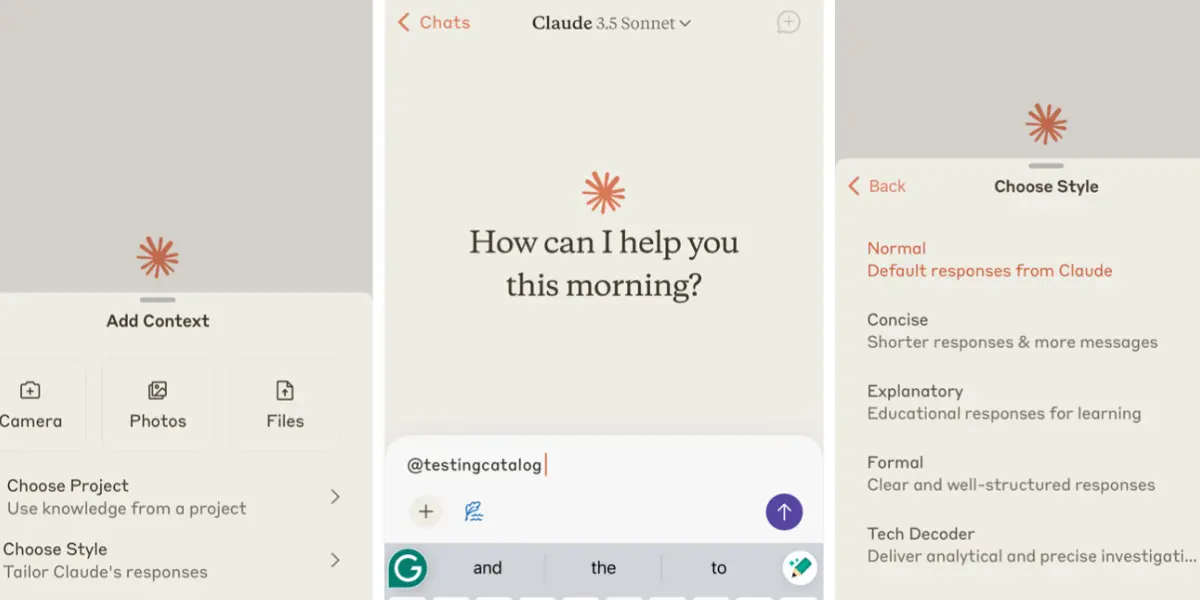
Where ChatGPT is the best choice for shorter writing automation, Claude is the better option when you need to automate longer, more complex documents. Monthly reports, detailed project briefs, comprehensive proposals, technical documentation — Claude handles extended writing tasks without losing coherence or quality across thousands of words. It’s also excellent for document summarisation: paste in a long contract, research report, or email thread and Claude extracts the key points, decisions, and action items in seconds. For professionals whose daily workflow includes producing or processing long documents, Claude reduces hours of writing and reading time to minutes. One of the most underrated workflow automation ai tools for knowledge workers.
✅ Pros
- Best for long, complex documents
- Strong document summarisation
- Consistent quality across long tasks
- Great for technical writing
❌ Cons
- Free plan has daily limits
- No native app integrations
- Less versatile than ChatGPT for short tasks
AI Tools for Automating Daily Tasks — by Category
Here’s the clearest way to think about which tool addresses which part of your day. Match the category to your biggest daily time drain and start there.
✉️ Communication & Writing
- ChatGPT — email drafts, reports, messages
- Claude — long documents & summaries
- Grammarly — quality control on everything
- Otter.ai — meeting follow-up automation
⚙️ Cross-App & Data Workflows
- Zapier AI — connect apps, move data
- Make — complex multi-step flows
- HoneyBook AI — client pipeline automation
- Buffer AI — social media publishing
📅 Time & Task Management
- Reclaim AI — calendar & task scheduling
- Notion AI — planning & project briefs
- Otter.ai — meeting & action item tracking
- HoneyBook AI — client deadline management
🏢 Small Business Automation
- HoneyBook AI — proposals, contracts, invoices
- Zapier AI — CRM & tool connections
- Buffer AI — social media scheduling
- ChatGPT — customer communication drafts
AI Tools for Business Workflow Automation
Small businesses and solo operators face a specific challenge: the same operational tasks that a large business spreads across a team all fall on one or two people. Every client email, every invoice, every project update, every social post — it all lands on the same desk.
The best ai tools for small business automation address this directly by automating the operational layer entirely. HoneyBook handles the client-facing admin. Zapier handles the data flow between tools. Buffer handles social media publishing. Reclaim handles calendar management. Grammarly handles writing quality. Together, they function like a part-time operations assistant — running silently in the background, handling the routine work, and alerting you only when genuine decisions are needed.
The total cost of this full automation stack? Around $60–80 per month. The time it returns? Most small business owners report 15–25 hours per month back from implementing a full AI automation stack. At any meaningful hourly rate, that’s a clear return on investment.
Quick Comparison Table
| Tool | Free Plan | Paid Plan | What It Automates | Our Rating |
|---|---|---|---|---|
| Zapier AI | ✅ 100 tasks/mo | $29.99/mo | Cross-app workflows | ⭐⭐⭐⭐⭐ |
| Make | ✅ 1,000 ops/mo | $9/mo | Complex business flows | ⭐⭐⭐⭐⭐ |
| ChatGPT | ✅ Yes | $20/mo | Writing & communication | ⭐⭐⭐⭐⭐ |
| Notion AI | ✅ Free base | +$10/mo | Planning & project briefs | ⭐⭐⭐⭐ |
| Otter.ai | ✅ 300 min/mo | $10/mo | Meeting documentation | ⭐⭐⭐⭐⭐ |
| HoneyBook AI | ✅ Trial | $19/mo | Client pipeline & admin | ⭐⭐⭐⭐⭐ |
| Grammarly | ✅ Great free | $12/mo | Writing quality control | ⭐⭐⭐⭐⭐ |
| Buffer AI | ✅ 3 channels | $6/mo | Social media scheduling | ⭐⭐⭐⭐⭐ |
| Reclaim AI | ✅ Yes | $10/mo | Calendar & task scheduling | ⭐⭐⭐⭐⭐ |
| Claude | ✅ Limited | $20/mo | Long documents & analysis | ⭐⭐⭐⭐ |
What Are AI Workflow Automation Tools?
AI workflow automation tools are software that use artificial intelligence to handle repetitive, rule-based tasks in your daily work — without you manually doing them each time. They range from tools that connect your apps and move data automatically (Zapier, Make), to tools that generate documents and communication drafts (ChatGPT, Claude), to tools that manage your calendar and schedule tasks intelligently (Reclaim AI). The defining feature is that they reduce or eliminate recurring manual work from your workflow.
How Can AI Automate Daily Workflows?
AI automates daily workflows by identifying patterns in repetitive tasks and handling them programmatically. When a new client enquiry arrives, HoneyBook can automatically generate a proposal and send it without you touching anything. When you have a meeting, Otter.ai transcribes it and extracts action items automatically. When you add a task to your list, Reclaim AI finds the optimal time in your calendar and blocks it. When you need to write a status update, ChatGPT generates a draft in seconds from a brief prompt. Each tool automates a specific type of task — the power comes from combining them to cover your whole day.
Which AI Tool Is Best for Automation?
Zapier AI is the most powerful for cross-app workflow automation — connecting your tools and handling data movement automatically. For writing automation: ChatGPT. For meeting automation: Otter.ai. For client admin automation: HoneyBook AI. For calendar automation: Reclaim AI. The “best” tool depends entirely on which type of work you need to stop doing manually first.
Can AI Automate Repetitive Tasks?
Yes — and this is where AI delivers its clearest, most immediate value. Repetitive tasks are exactly what AI handles best: they follow predictable patterns, require the same inputs and outputs each time, and don’t require genuine judgment or creativity. Meeting transcription, invoice generation, social media scheduling, email responses, report generation, data entry — all of these are repetitive tasks that AI tools can handle partially or fully without human involvement in each instance.
Are AI Automation Tools Worth It?
For most professionals and businesses: yes, clearly. The ROI calculation is straightforward — if a $20/month tool saves you 5 hours of manual work per month at any meaningful rate, the investment is justified many times over. The bigger question is where to start. Focus on your highest-frequency repetitive tasks first, start with free plans, and only upgrade when you’ve verified the time savings are real. The tools that automate the most common daily tasks — writing, meetings, scheduling, admin — typically deliver the fastest and most obvious returns.
Frequently Asked Questions
🏆 Final Verdict
The best AI tools for daily workflow automation in 2026 don’t just save time — they fundamentally change how your day feels. When the repetitive tasks are handled automatically, what’s left is only the work that actually requires your expertise, judgment, and creativity.
If we had to pick just three tools to start with today: Zapier AI (free — connects your apps), Otter.ai (free — handles meeting notes), and ChatGPT (free — handles writing). That trio alone eliminates the most common daily workflow bottlenecks for most professionals — at zero cost to start.
Once you’ve felt the difference, add Reclaim AI for calendar automation and HoneyBook AI if you run a service business. That five-tool stack is the most complete daily workflow automation setup available in 2026 — and it runs for under $50/month combined.
Found this helpful? Share it! 🙌
This breakdown of AI tools for workflow automation really highlights how much time can be saved by strategically automating repetitive tasks. I especially appreciate the emphasis on choosing the right tool for specific workflows rather than going with a one-size-fits-all solution. It’s a practical reminder that automation isn’t just about doing more—it’s about doing what matters most, efficiently.